Monitor

UTUVO STUDIO SERIES

A software monitor controller for the Mac.

Sources, monitor outputs, speaker layout, loudness and master level on one screen. Public beta 0.4.0 (build 52) on Apple Silicon only.

Public beta · 0.4.0 (build 52) · Apple Silicon only · macOS 14 or later
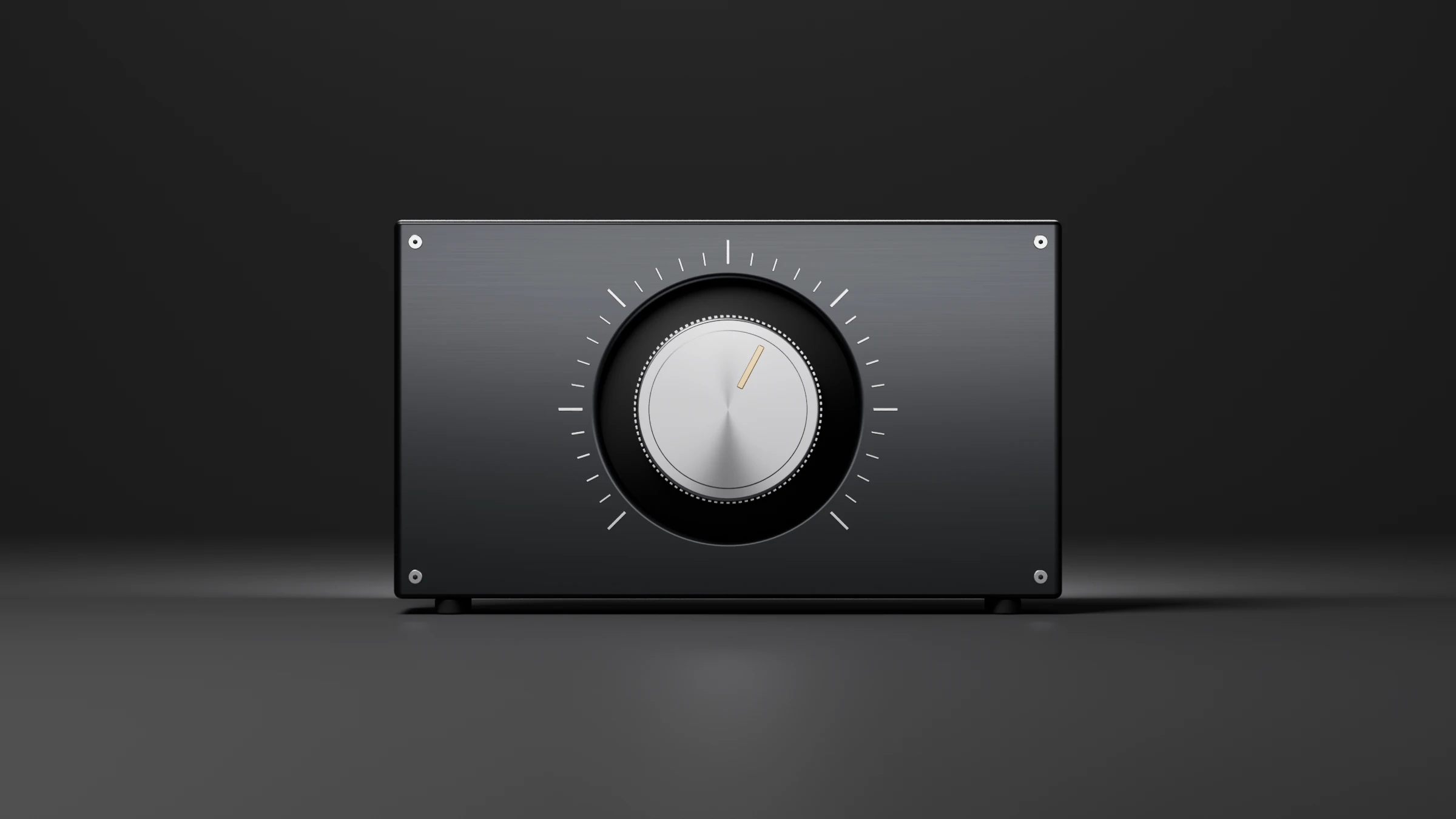
UTUVO Monitor on the Noir theme: main window.UTUVO Monitor on the Noir theme: main window.
Public beta 0.4.0 (build 52) interface · demonstration setup.UTUVO Monitor main window on the Noir theme.
A machined front panel with a large turned-aluminium knob, a tick ring around it and a gold indicator.

Public beta 0.4.0 (build 52)

A desk you can make your own.

The public beta brings four material themes and five independent Accent choices. The spatial view offers Chips, Speakers and Room 3D; change the display without changing your audio routing.

Monitor public beta 0.4.0 (build 52) desk interface, isolated demonstration configuration with audio off
  • UTUVO Light, Noir, Satin Silver and Midnight Studio.
  • Accent: Studio, Blue, Green, Teal or Violet. CUT stays red and DIM stays amber.
  • Stream Deck and UTUVO Remote use the configured Source and Output names. Remote is a separate app.

Getting started

From the first signal to a useful setup.

A narrated walkthrough in English, with English subtitles. The voice-over is AI-generated.

App screenshots with an isolated demonstration setup. Audio stays off; meter values are not a hardware measurement.
  1. Start with CUT on. Send the DAW output to UTUVO 2, or UTUVO 16 / 32 for a multichannel session.
  2. Open Source Settings, choose the same device and layout, then check the input channel map.
  3. In Output Settings, select your physical interface and match each speaker to its output channel. Lower the physical volume before releasing CUT.
  4. Use DIM, Mono and speaker Solo to compare the mix. Select a Source or Output to inspect its loudness; reset before measuring a new programme.
  5. Save useful monitoring states as Scenes. Headphone rendering, calibration and remote control have their own settings.

Main window

Sources, channel positions, loudness and the active monitor on one screen.

Main view of UTUVO Monitor: the Source cards, channel positions, the loudness read-out and the active monitor sit on one screen.

UTUVO Monitor main window: Source cards, channel positions, loudness and the active monitorUTUVO Monitor main window: Source cards, channel positions, loudness and the active monitor
UTUVO Monitor main window: Source cards, channel positions, loudness and the active monitor

Sources, channel positions, loudness and the active monitor on one screen.

  • Solo a speaker or mute a channel by pointing at it. Mono, Mid, Side and polarity checks are one click away.
  • The currently sounding Source and Output are highlighted on the main view.

Source Settings

Per-source device, channel map and Cue Send.

Each source keeps its own device, channel map and Cue Send.

UTUVO Monitor Source Settings view with one source expanded, showing its device, channel map and Cue SendUTUVO Monitor Source Settings view with one source expanded, showing its device, channel map and Cue Send
UTUVO Monitor Source Settings view with one source expanded, showing its device, channel map and Cue Send

Per-source device, channel map and Cue Send.

  • Per-source device, channel map and Cue Send, kept on the source.
  • UTUVO Audio driver 1.1.0 ships with the package and adds UTUVO 2 / 16 / 32 virtual ports for routing.

Output Settings

Per-channel level and delay. Bass management. Calibration. Rendering options per monitor.

Per-channel level and delay. Bass management. Calibration. Rendering options per monitor.

UTUVO Monitor Output Settings showing per-channel level, delay, bass management, calibration and rendering optionsUTUVO Monitor Output Settings showing per-channel level, delay, bass management, calibration and rendering options
UTUVO Monitor Output Settings showing per-channel level, delay, bass management, calibration and rendering options

Per-channel level and delay. Bass management. Calibration. Rendering options per monitor.

  • The selected Output is your main monitor. You can explicitly enable additional Outputs; channel conflicts and direct-only paths are shown in the app.
  • Save a monitoring state as a Scene; chain repeated moves into a Macro. Talkback lives on the main screen.

Installer and virtual ports

PKG installer with UTUVO 2 / 16 / 32 virtual ports.

The installer is a PKG: it drops the Mac app into Applications and registers the UTUVO Audio driver with three virtual port counts (UTUVO 2 / 16 / 32). A restart at the end of install is required for the ports to come online.

UTUVO Monitor installer window and the UTUVO Audio driver panel with three virtual port countsUTUVO Monitor installer window and the UTUVO Audio driver panel with three virtual port counts
UTUVO Monitor installer window and the UTUVO Audio driver panel with three virtual port counts

PKG installer with UTUVO 2 / 16 / 32 virtual ports.

  • The installer includes UTUVO Audio driver 1.1.0.
  • A restart is required at the end of install for the UTUVO virtual ports to come online.

Apple Spatial

Apple Spatial: Music, Movie, Reverb, with Head Tracking and personalised HRTF where the system allows.

Apple Spatial handles Music, Movie and Reverb modes, with Head Tracking and personalised HRTF routed through the renderer. Whether they are available depends on the system, the device, and your personal profile.

UTUVO Monitor Apple Spatial panel with Music, Movie and Reverb modesUTUVO Monitor Apple Spatial panel with Music, Movie and Reverb modes
UTUVO Monitor Apple Spatial panel with Music, Movie and Reverb modes

Apple Spatial: Music, Movie, Reverb, with Head Tracking and personalised HRTF where the system allows.

  • Availability of Apple Spatial, Head Tracking and personalized HRTF depends on the system, device and personal profile.

UTUVO Room

UTUVO Room: KEMAR HRTF, load a compatible .sofa file, room presence, distance, headphone EQ.

UTUVO Room builds the headphone stage from KEMAR HRTF, an optional SOFA file, room presence, distance and headphone EQ.

UTUVO Monitor UTUVO Room panel with KEMAR HRTF, SOFA load, room presence, distance and headphone EQUTUVO Monitor UTUVO Room panel with KEMAR HRTF, SOFA load, room presence, distance and headphone EQ
UTUVO Monitor UTUVO Room panel with KEMAR HRTF, SOFA load, room presence, distance and headphone EQ

UTUVO Room: KEMAR HRTF, load a compatible .sofa file, room presence, distance, headphone EQ.

  • A KEMAR HRTF is built in; load a compatible .sofa file to bring your own. Personal SOFA files are not supplied.

Renderer modes

Four renderer modes: Off / pass-through, Dolby, Apple Spatial, UTUVO Room.

Four renderer modes: Off / pass-through, Dolby, Apple Spatial, UTUVO Room. Each monitor card shows a distinct icon; hover for the full name.

UTUVO Monitor renderer mode icons: Off / pass-through, Dolby, Apple Spatial, UTUVO RoomUTUVO Monitor renderer mode icons: Off / pass-through, Dolby, Apple Spatial, UTUVO Room
UTUVO Monitor renderer mode icons: Off / pass-through, Dolby, Apple Spatial, UTUVO Room

Four renderer modes: Off / pass-through, Dolby, Apple Spatial, UTUVO Room.

Requirements and install notes

PlatformApple Silicon only
macOSmacOS 14 or later
InstallerDMG containing a PKG and UTUVO Audio driver 1.1.0
In packageMac app and driver; Remote is not in this build

Install

  1. Open the DMG, then open Install-UTUVO-Monitor.pkg and follow the macOS installer.
  2. The installer requires an administrator password and a restart.
  3. After the restart, launch UTUVO Monitor from the Applications folder.
  4. Allow microphone access when asked. UTUVO Monitor also uses it to capture the UTUVO virtual devices.

Caveats

  • Apple Silicon only. No Intel build.
  • Apple Spatial, Head Tracking and personalized HRTF depend on the system, device and personal profile.
  • Remote is not part of this build.

Public beta · download and test.

  • Public beta 0.4.0 (build 52): free to download and test. Apple Silicon only, macOS 14 or later.
  • The installer adds the UTUVO Audio driver. It asks for an administrator password, and the Mac must restart before the driver is available.
  • Pricing for Monitor 1.0 is not announced.
  • Send feedback and bug reports to [email protected] with the product name in the subject.

Frequently asked questions

Can I download UTUVO Monitor?

Yes. UTUVO Monitor 0.4.0 (build 52) is a public beta, free to download and test from this page or the Downloads page. Pricing for Monitor 1.0 is not announced. Send feedback to [email protected].

Will UTUVO Monitor run on an Intel Mac?

No. The public beta is Apple Silicon only.

Can several Outputs play at once?

The main Output is always active. Additional Outputs can be enabled explicitly; headphone rendering and output processing apply to the main monitor.

Does Monitor include Apple Spatial and Head Tracking?

Apple Spatial and Head Tracking are routed through the renderer. Whether they are available depends on the system, the device, and your personal profile.

Is Remote part of the public beta package?

No. The public beta package includes the Mac app and the UTUVO Audio driver. Remote is not in this build.

Type to search UTUVO.

Try searching